Cló Gaelach and The Story of Us


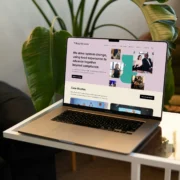
Last month myself and Michelle of Cova Communications gave a talk at the IDI Design Summer Sessions 2026 about Co-designing an accessible award-winning website with Disabled people. We talked about the story behind building the Tilting the Lens website.
Thanks to Niamh and Lisa at IDI and Design Skillnet for having us, and to everyone who turned up and asked questions. Since then we’ve had a number of people wondering if the session was recorded. It wasn’t, so keep on reading for some of the key takeaways about what we covered.
We believe accessible designs means better design.
As a design agency we always endeavoured to be accessible. We meant well, but we had not formalised our approach to accessibility.
When starting off a lot of design agencies are probably in the same boat… No one is intentionally trying to make an inaccessible product.
A few years ago we decided to really embed accessibility at the core of everything we do. Why? Quite simply, it is the right thing to do. For example, 22% of the Irish population reported having a disability in the 2022 Census.
Over time this led to us reaching high accessibility standards for our websites.
Co-design means designing with Disabled people, not for Disabled people.
Tilting the Lens' co-design principle
This project used a framework of co-design. This is a human-centred process where Disabled people’s expertise is a vital part of the whole design process, not an afterthought, or for auditing when a project is complete.
Accessibility was not retrofitted, but embedded from the outset through collaboration with Disabled people. The ambition was not simply to comply with access standards, but push beyond them. The site reflects one of Tilting the Lens’ core beliefs: that accessibility is not a checkbox but both a framework and an evolving practice.
Co-design needs people. For this project, members participated from Tilting the Lens’ Research Hub. Michelle from Cova managed the user testing with the research hub team.
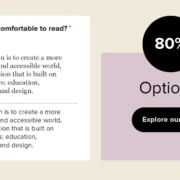
In design testing, we deliberately asked “Is this comfortable to read?” rather than “Can you read this?”.
“Can you read this?” gets a binary yes or a no answer. “Is this comfortable?” invites a user to think about the experience they are having and rate it on a personal scale rather than a legal compliance one. We were looking beyond comprehension and compliance, to a feeling of ease.
We also tested how predictable the design was. To test this we asked “What would you expect to happen if…?” and to find where it created excessive cognitive load, fatigue or confusion.
Compliance was the starting point, not the goal.
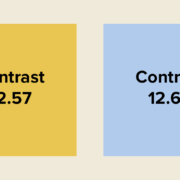
The further we got from the “compliance” limit, the more comfortable the reading experience.
We aimed for the site to be compliant with WCAG version 2.2, AA standard. Colour compliance was one of the areas where it was possible to meet AAA requirements.
Testing also changed other decisions. Building with lived experience produces things you wouldn’t otherwise have arrived at. Dark mode was used by the majority of testers on at least one device, so we built it in. Our early designs had too many button styles, and testers told us consistent styling creates easy, predictable pathways, so we moved to one primary style and one call to action per section.
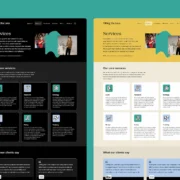
Co-design means making things with people, not just for them. Instead of testing an idea on people at the end, you invite them to be equal partners from the start.
We tested at all points in the project: static designs, development testing, and a final external audit. Before the first designs were drawn, we ran workshops with the Tilting the Lens team on card sorting, wireframing and user flows, and brought what we learned together in a discovery document that framed the project.
Testing with Disabled people early ensures fewer accessibility issues later on when an external accessibility audit is commissioned.
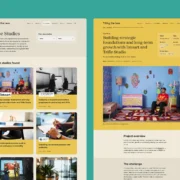
Before any of the Disabled testers saw the development build, every template was scanned with Axe DevTools and the Silktide Accessibility Checker. We then tested manually using keyboard-only navigation techniques, the VoiceOver screenreader on macOS and iOS, and TalkBack on Android.
Automated tools catch only a portion of real issues, but there is no reason to ask testers to find problems a scanner would have found. Doing the checks yourself first means their time goes on real user insights that only they can tell you.
All of the feedback went into a shared snag list, so the whole team could track what had been raised, what had been fixed and what was still open.
Some advice for anyone designing or commissioning digital work: